
From a Computer
Login to your account at https://www.wellnessliving.com/login/yogaquest
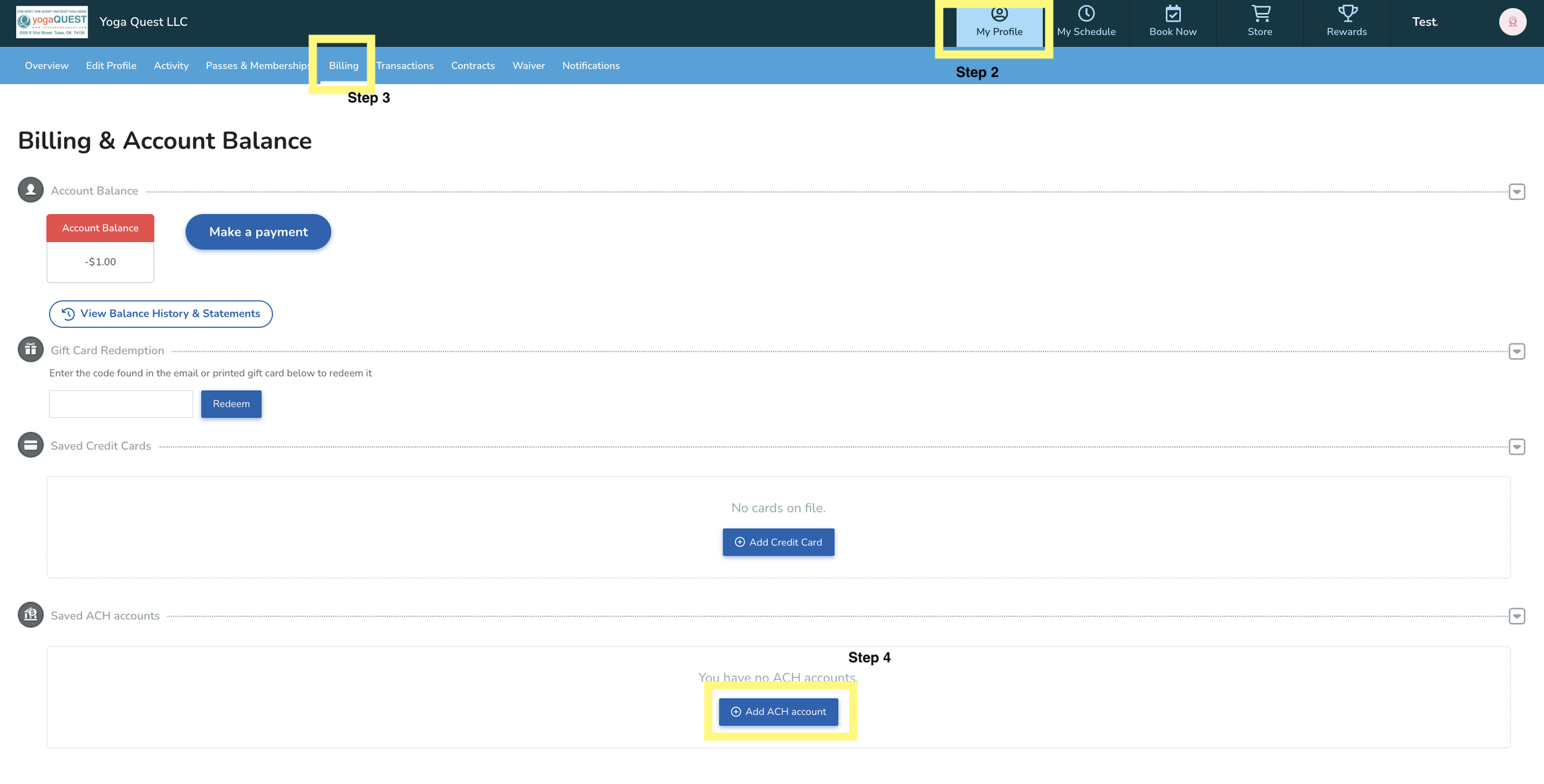
Click “My Profile” in the top menu
Click “Billing” in the next menu that appears below
Add an ACH account (scroll down the page to see this)
BE SURE TO CLICK "SET AS DEFAULT PAYMENT METHOD"
We would be happy to double-check that your membership has moved over to ACH. Please feel free to call us at (918) 622-5454 or email info@tulsayogaquest.com to confirm the change.
From the yogaQUEST Phone app
Login to your account
Click “More” with the three dots at the bottom right of the app
Scroll down to “billing”
Select “Add New ACH account”
BE SURE TO CLICK "SET AS DEFAULT PAYMENT METHOD"
We would be happy to double-check that your membership has moved over to ACH. Please feel free to call us at (918) 622-5454 or email info@tulsayogaquest.com to confirm the change.
If you have any issues or concerns, we would also be happy to help you in person at the studio